Share via

When I try Find My Device, I get a message that it can't be found and to try later.

Anonymous
2024-11-20T22:14:59+00:00

My Surface is lost. The last updated location was 1 week ago, but I used it last night and was connected to the internet. However, it doesn't register that it was found last night, only last week. The Surface may be turned off currently and could be the reason why it can't be located now, but it should have been located last night. What could cause that to happen?

Surface | Surface Go | Safety and security

Locked Question. This question was migrated from the Microsoft Support Community. You can vote on whether it's helpful, but you can't add comments or replies or follow the question.

0 comments No comments

2 answers

Sort by: Most helpful
  1. Anonymous
    2024-11-21T13:53:05+00:00

    Leo,

    Thanks for your reply. I used my Surface on Tuesday night, 11//19 and it was connected to the internet. However, the last updated location was a week ago at the same location. It did not update when it was used this past Tuesday. I'm worried that, even when it's turned on, it won't be able to be found or locked.

    Was this answer helpful?

    0 comments No comments
  2. Anonymous
    2024-11-21T05:48:44+00:00

    Hello, Paul Valente2.

    Welcome to Microsoft Community!

    From your description, it appears that you have lost your Surface Go 2 and when it is located via the Find Device feature, it can only be pinpointed to when it was used last week.

    Find and lock a lost Windows device - Microsoft Support

    Typically, the locate function is related to the device's activity log. Network activity, power-up activity will all affect the final localization of the device.

    If your device is shut down (Battery drained) or reset by a bad guy, this will also cause the lookup to fail.

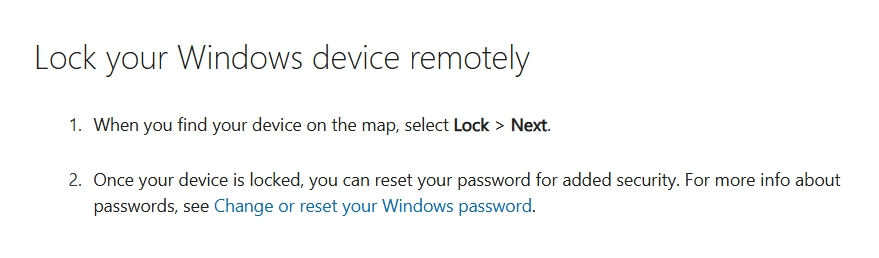
    Losing your device is always frustrating and I can understand your concern at this point. But you are still able to protect your information from being compromised with the ability to lock your device.
    Image

    It would be better to contact the police to further try to recover the loss of your property after keeping your information secure.

    I hope you stay safe.

    Best Regards.

    Leo.L - Microsoft Community Support Specialist

    Was this answer helpful?

    0 comments No comments