Azure | Azure Training
Training: Instruction to develop new skills.

This browser is no longer supported.
Upgrade to Microsoft Edge to take advantage of the latest features, security updates, and technical support.
' cx='32' cy='32' r='32' /%3E%3Ctext x='50%25' y='55%25' dominant-baseline='middle' text-anchor='middle' fill='%23FFF' %3EBK%3C/text%3E%3C/svg%3E)
the mail id is ******@gmail.com please let me know why
Training: Instruction to develop new skills.
' cx='32' cy='32' r='32' /%3E%3Ctext x='50%25' y='55%25' dominant-baseline='middle' text-anchor='middle' fill='%23FFF' %3ESG%3C/text%3E%3C/svg%3E)
Hi bharath k,
Thanks for reaching out to Microsoft QnA
As you don't already have a Microsoft account, check the following information.
If you're signing in with a university email address (for example, username@university.edu), you need to create a Microsoft account with that email address. Creating an account is free and takes just a few minutes. Having a Microsoft account allows you to automatically sign in to all your Microsoft products with a single username and password.
If you're signing in with a personal email address (for example, username@email.com) but you also have a university email address, try using the university email address. If you previously signed in to your institution's webstore with a personal email address or you don't have a university email address, you need to create a Microsoft account or link a Microsoft account with your personal email address.
For students who have an existing Microsoft account (for example, Xbox), give them the following instructions for connecting that account to an Azure Dev Tools for Teaching account:
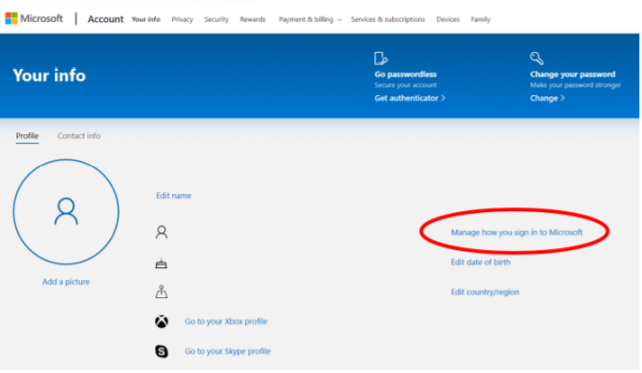
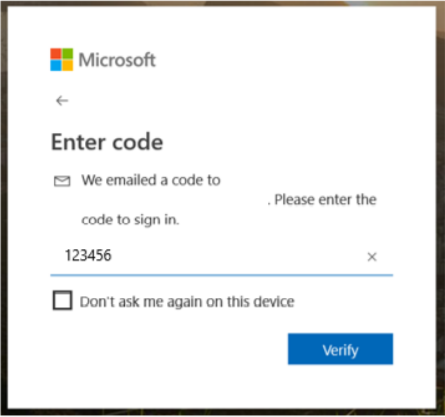 !
!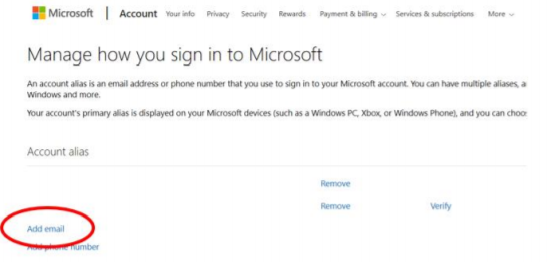 The next time you sign in, you can use your university email address to access the Azure Dev Tools for Teaching account.
If this answers your query, do click Accept Answer and Yes for was this answer helpful. And, if you have any further query do let us know.
AI answer
For Azure student offers and training programs, registration requires a valid Microsoft account, not just a Gmail address.
If registration is failing with a @gmail.com address, the most common reasons are:
@gmail.com address.If none of these steps resolve the issue, contact the official support channel for the specific Azure training or student program being used, as they can check the account and registration status.
References: